Add BitMonet to your site
 ANY WEBSITE
 WORDPRESS
 BLOGGER
 TUMBLR
1. Configure BitMonet using the form below
2. Copy the generated code just above the </body> tag on each page of your site where you want to add BitMonet
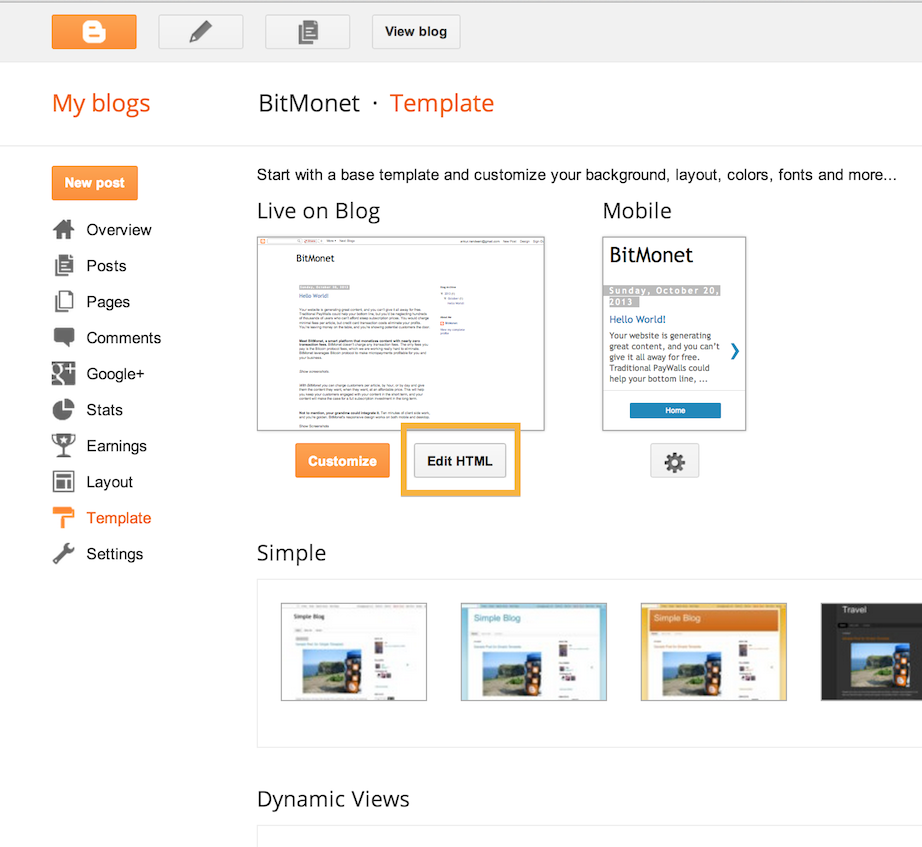
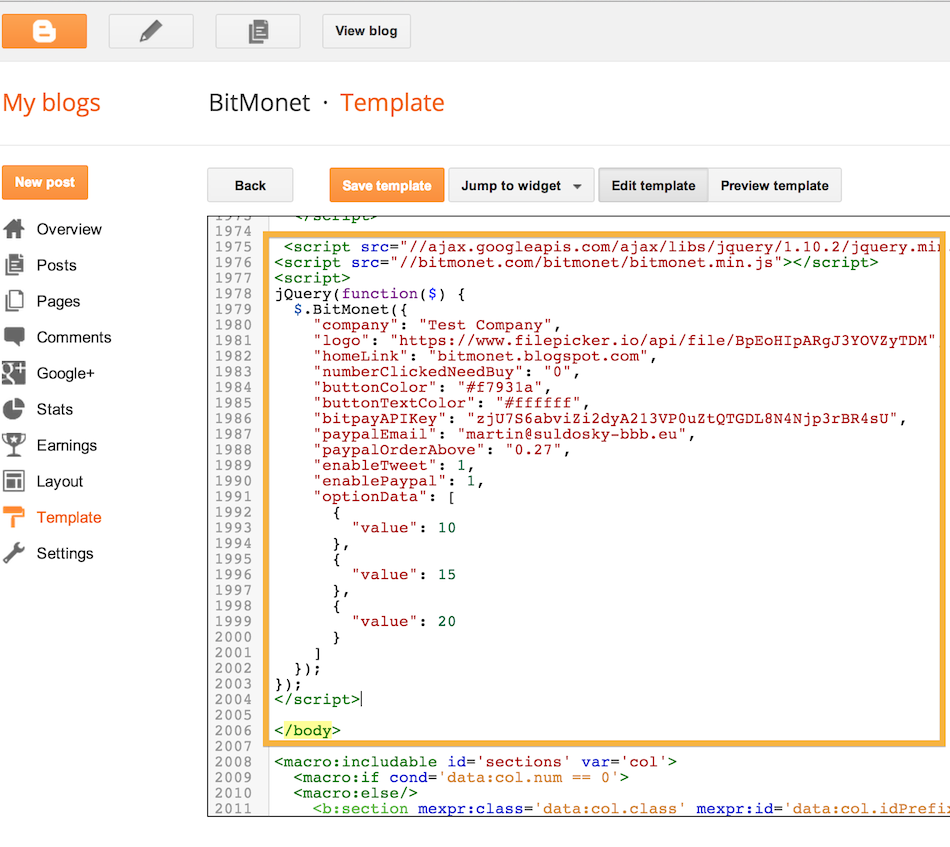
2. Log in to your Blogger account and open the template in HTML view. Copy the generated code just above the closing </body> tag
2. Log in to your Tumblr account and select the option to customize the theme in HTML view. Copy the generated code just above the closing </body> tag
Note: BitMonet will not work for blogger, if your theme shows the complete posts, or if it shows the posts in a widget
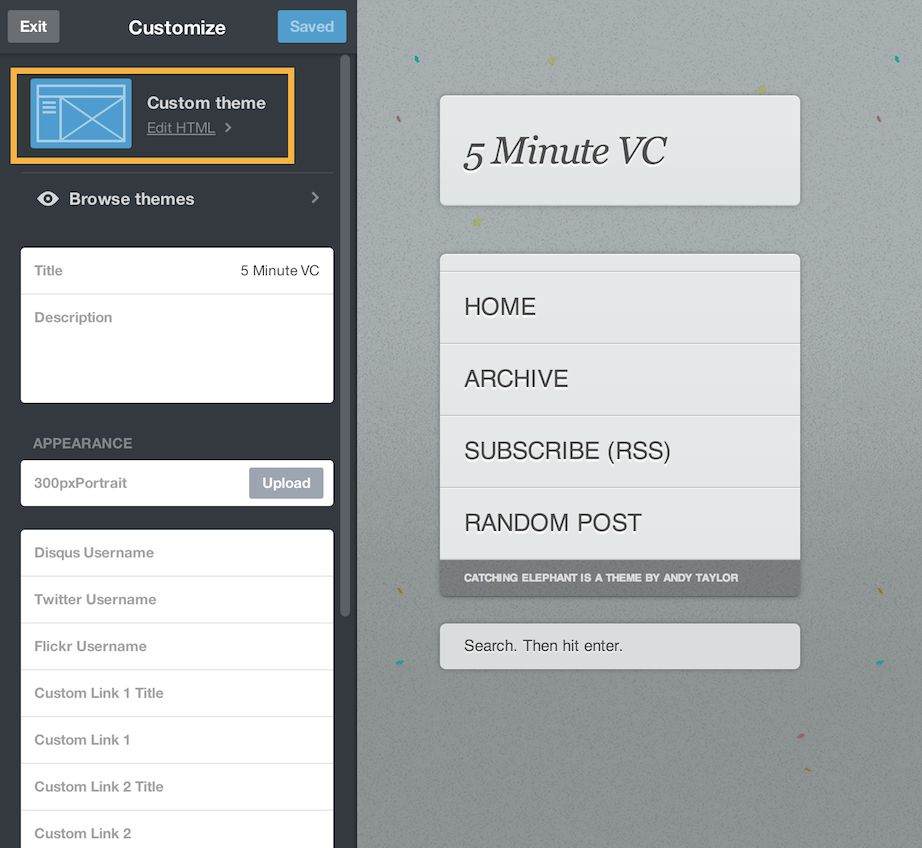
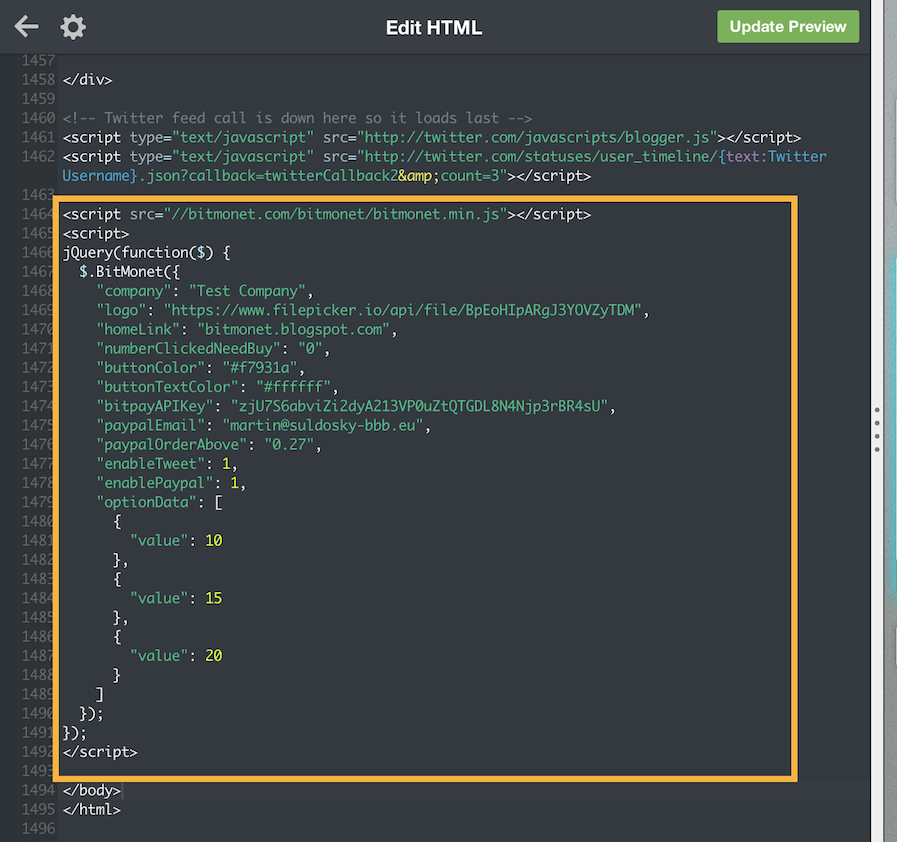
3. Copy the following code to each post where you want to enable BitMonet
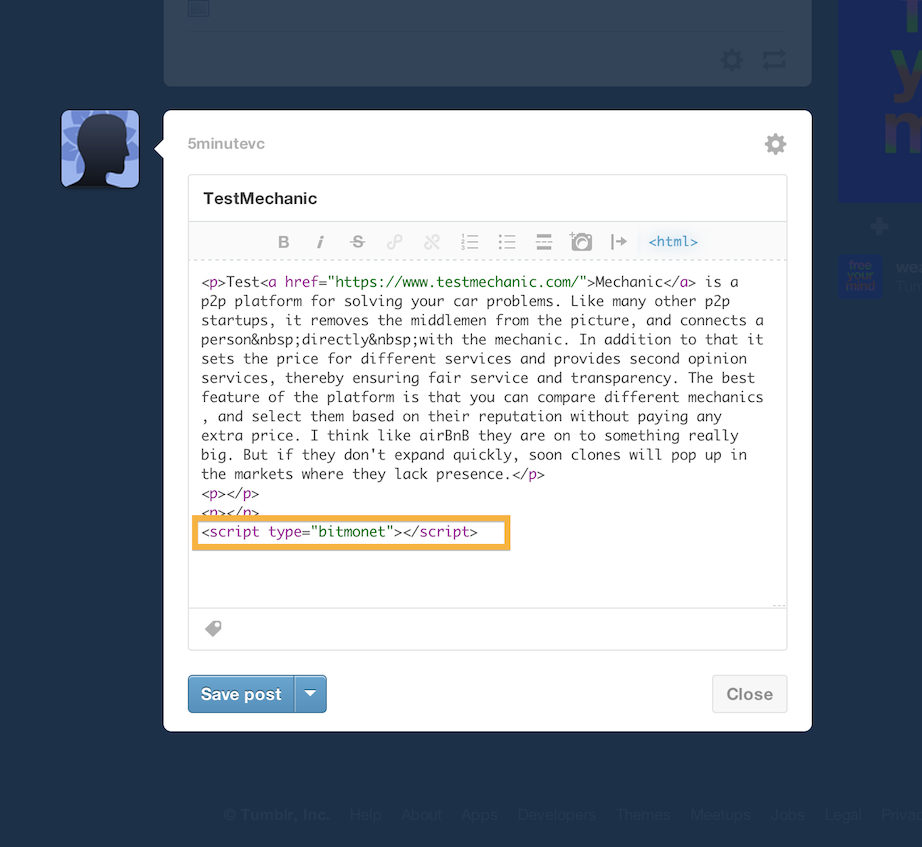
3. Copy the following code to each post where you want to enable BitMonet
<script type="bitmonet"><script>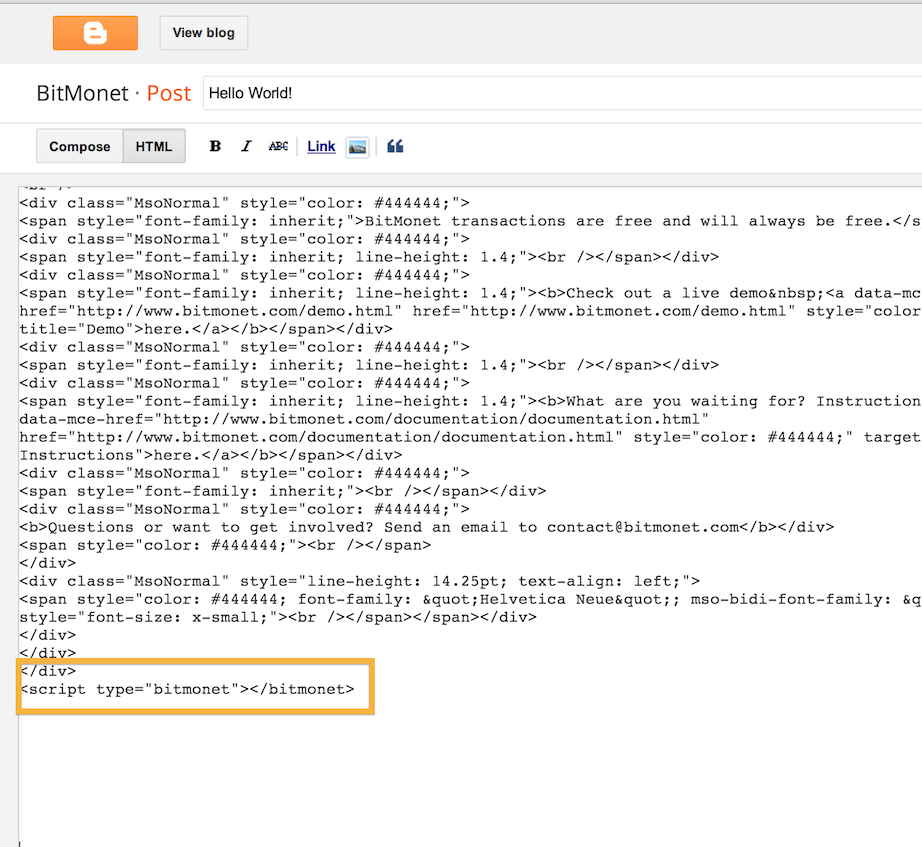
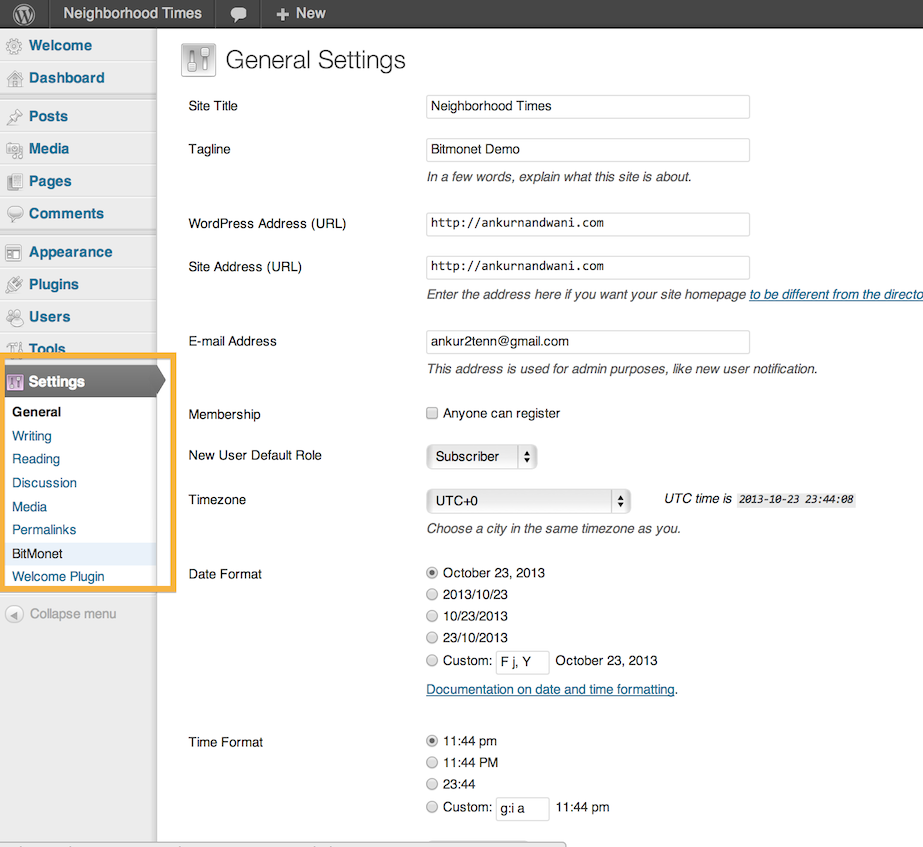
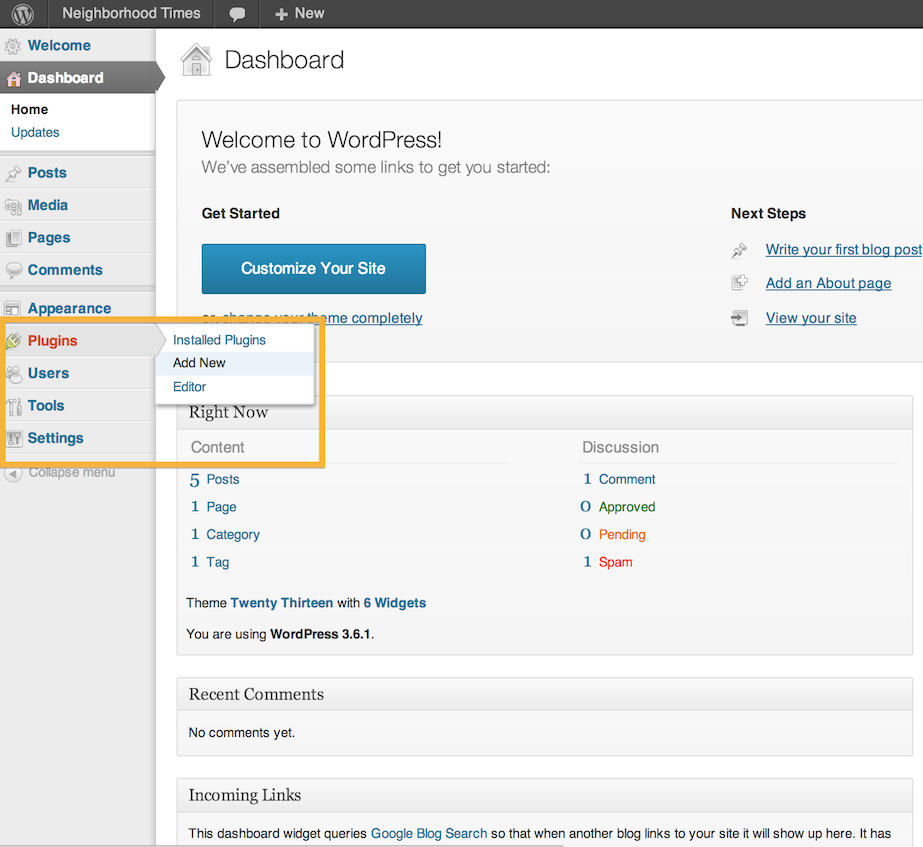
Log into your WordPress Installation
1. Visit "Plugins -> Add New"
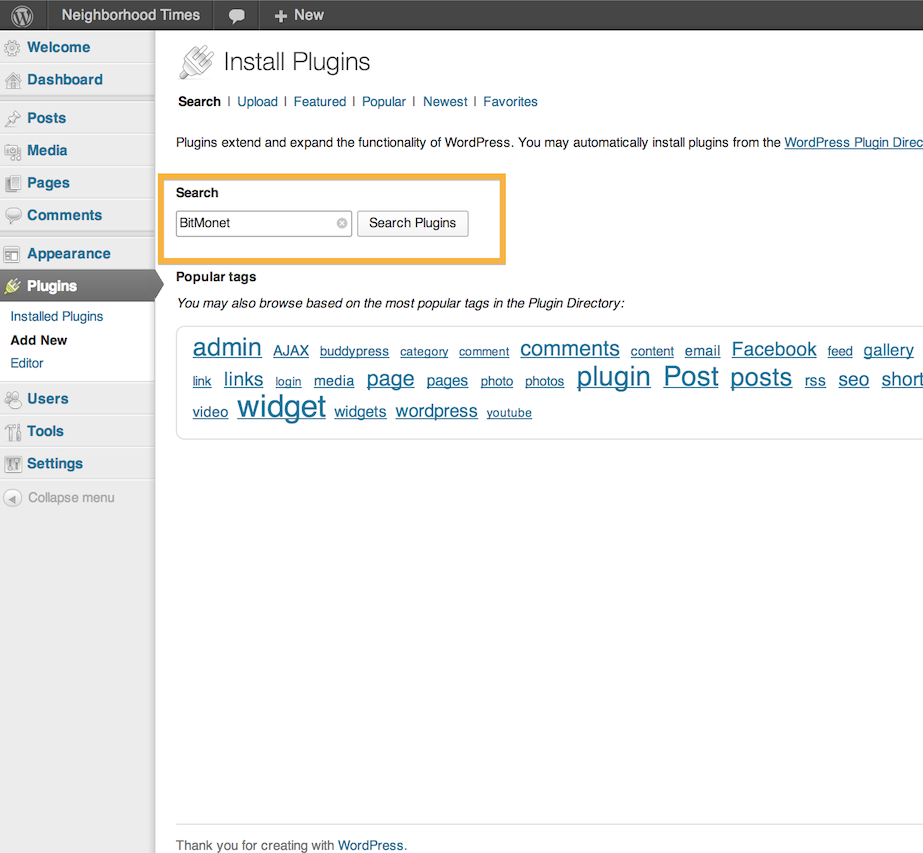
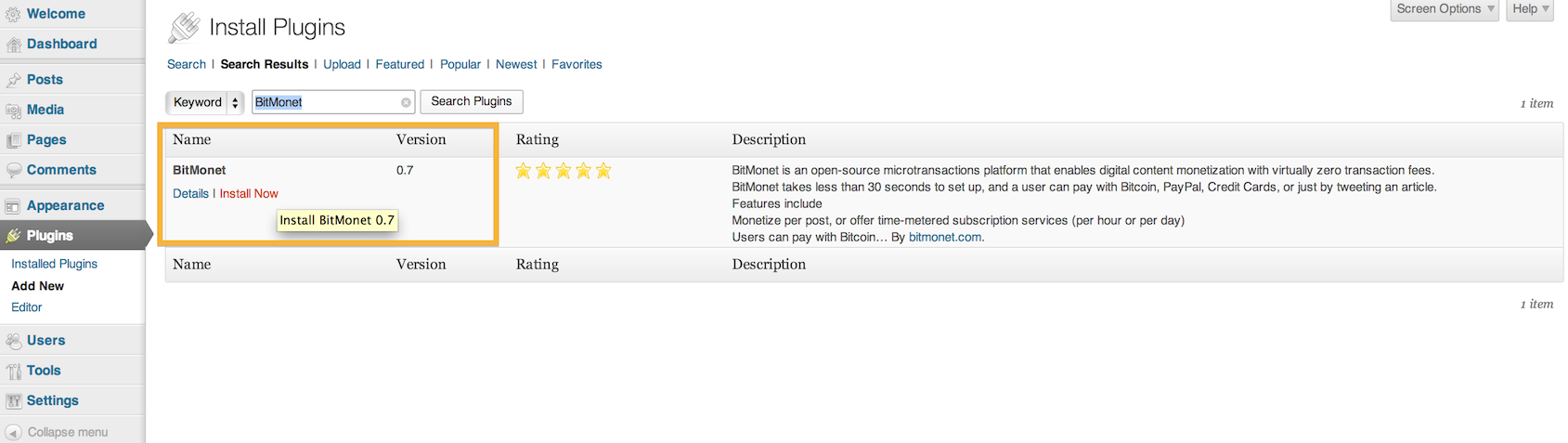
2. Search for "BitMonet"
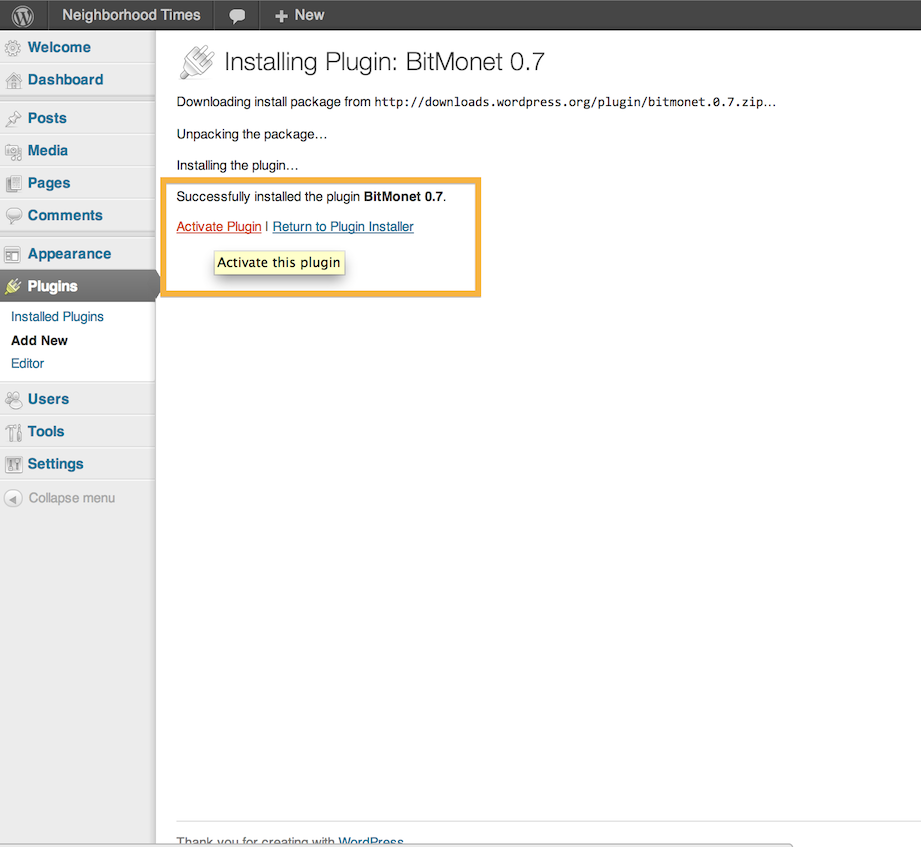
3. Activate BitMonet from your "Plugins" page.
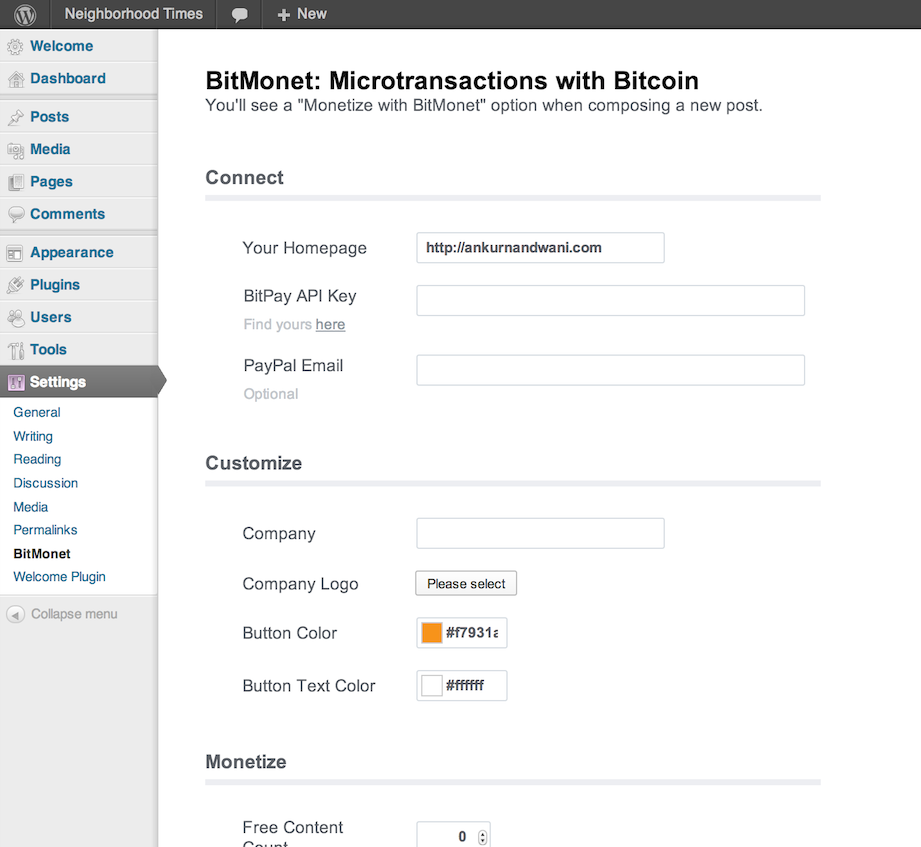
4. Go to "Settings -> BitMonet" and start monetizing your valuable content